
 Global TechHub
Home
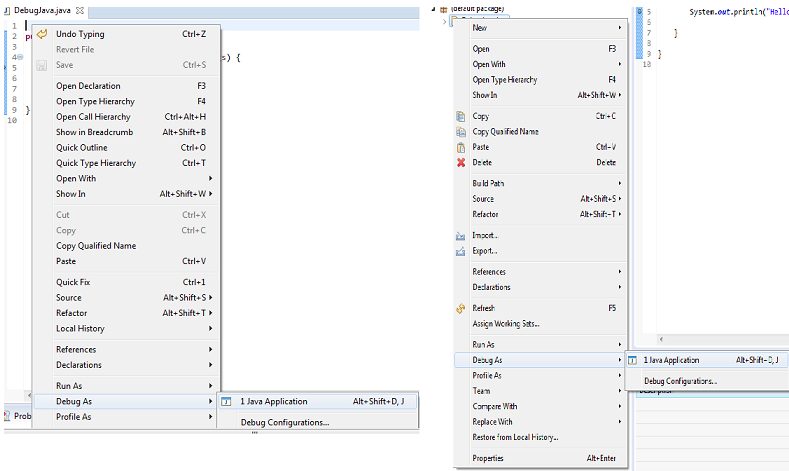
Introduction Debugging is the routine process of locating and removing bugs, errors or abnormalities from programs. It’s a must have skill for any Java developer because it helps to find subtle bug that are not visible during code reviews or that only happens when a specific condition occurs. The Eclipse Java IDE provides many debugging tools and views grouped in the Debug Perspective to help the you as a developer debug effectively and efficiently. There are many improvements included in the latest Eclipse Java Development Tools (JDT) release included in the Eclipse Oxygen Simultaneous Release. This article will start with a beginner’s guide to start you with debugging. Guide to Quick Start Debugging Here are some quick tips and tools that will help you get started quickly with debugging your Java project. Launching and Debugging a Java program A Java program can be debugged simply by right clicking on the Java editor class file from Package explorer. Select Debug As → J...